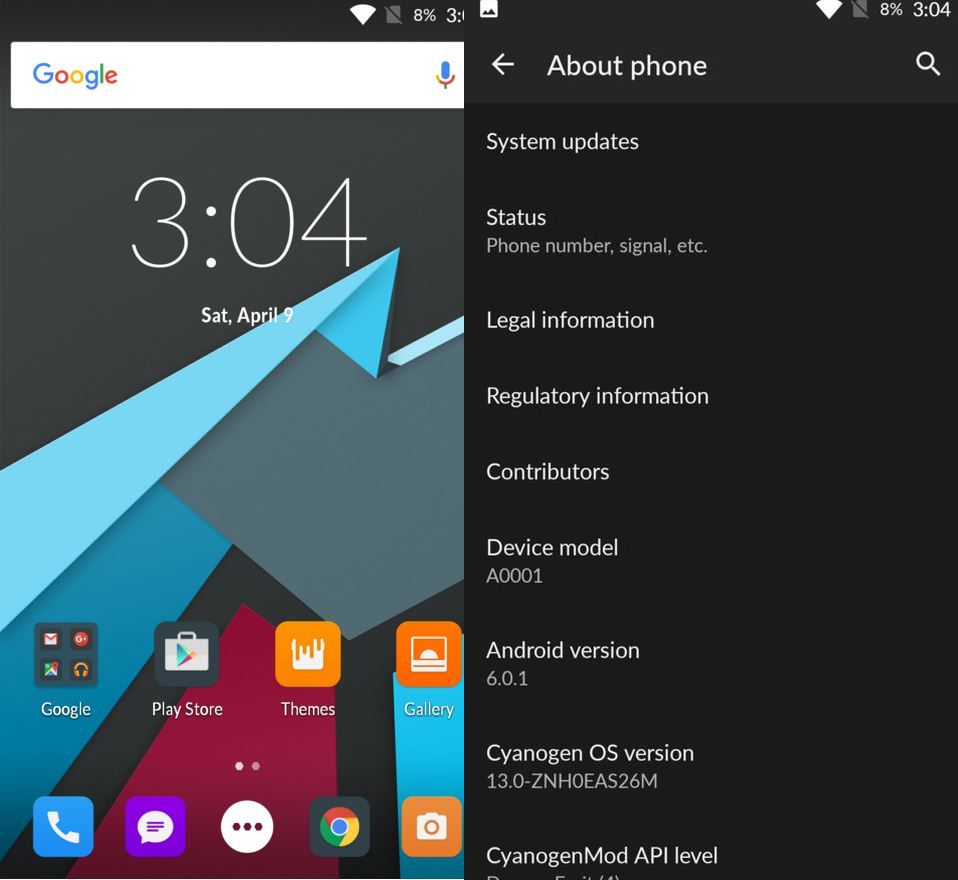
The
official Android Marshmallow for the older OnePlus One smartphone is
here. The Cyanogen OS 13.0 (COS 13) with build version ZNH0EAS26M is now
rolling out to OnePlus One, which bumps the Android version of the
phone to 6.0.1 Marshmallow. As usual this is a staged rollout, which
means not everyone would be able to get their hands on the update at the
moment.
Those who have already installed it might be curious to explore the new features. Following are details about the new changes added or removed in COS 13.
Those who have already installed it might be curious to explore the new features. Following are details about the new changes added or removed in COS 13.
- The Advanced options is not available any more under About Phone. You should be able to see all options by default.
- To see the app optimised by Doze, go to Settings>> Battery>> 3-dot menu>> Battery optimisation.
- You may see the MM permissions enhancement every time you install an app.
- The True caller now displays the ID of unknown numbers in the SMS app as well as in the call logs.
- The update has removed Quick PIN unlock as according to Cyanogen it was a dirty and insecure hack.
- Quick settings now has multiple pages swipe left-right. You may rearrange it, go to Edit Tile button then add/remove items you want to. Alternatively, you can enter Edit Tiles mode by long pressing the gear icon on top. In Edit Tiles mode, swipe left to right to access more settings for Quick Settings.
- You will no longer get screen colour setting under Live Display, and no horizontal app drawer scrolling in Trebuchet.
- Clear All button in the Recents menu can be found at the bottom to the right side.
- You can customise what you want to have in the Status bar. For this, go to Settings>> Status bar>> Status bar icons.
- There is now a new option to launch the camera. Just press the power button twice for the camera.
- To trigger the hidden Demo Mode settings menu, tap Build Date under About Phone three times.
- Theme Engine now supports Live lockscreens. Cyanogen OS 13 has two in-built live lockscreens.
How to get multiwindow mode on OnePlus One
- Open the root browser, give superSU permission
- Go to system/directory and open build.prop file
- Find ro.build.type=user and change it toro.build.type-userdebug
- Save it and in the end reboot
Comments
Post a Comment